macOS 14+ · one-time $1.99 · open source · no account
Press Space in Finder and the file is simply there — headings, tables, Mermaid diagrams, formulas, coloured terminal output. A 32 MB document opens as fast as a two-line note, because there is no browser engine inside Markio waiting to start up.
One payment, not a subscription · Never writes the file it opens · Nothing leaves your Mac, and the code that proves it is public
The moment this is for
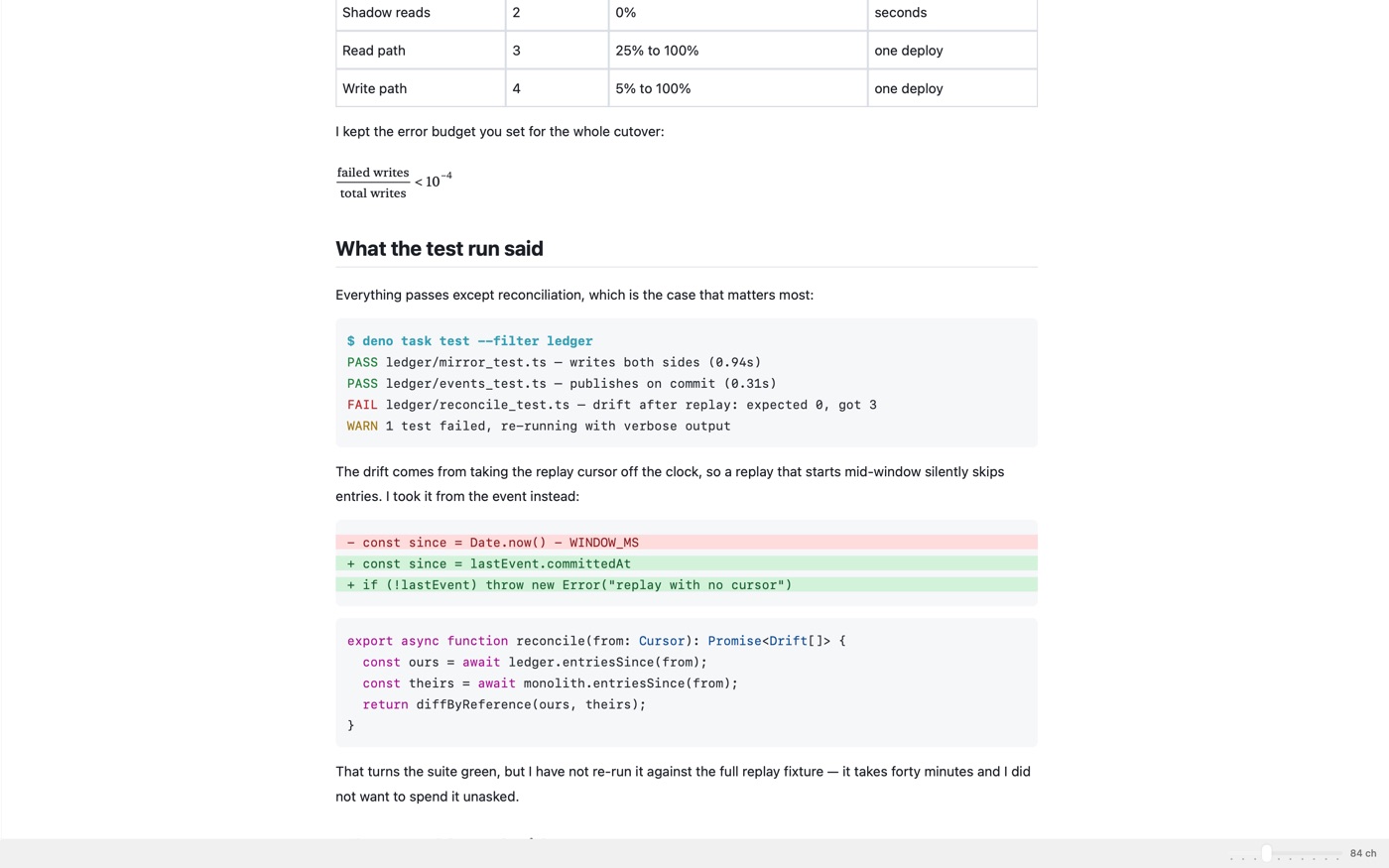
Six diagrams, three tables, a wall of detail. Finder's preview hands you the raw ## and ```mermaid fences and wishes you luck.
A workspace loads, an extension host spins up, a browser engine boots — all to display a document you only wanted to read once.
The flowchart finally renders. Your internal spec is now on somebody else's server, and you have to remember that tomorrow.
Markio is the missing third option: a reader. It opens the file, draws it properly, and gets out of the way.
Pressing Space today
---
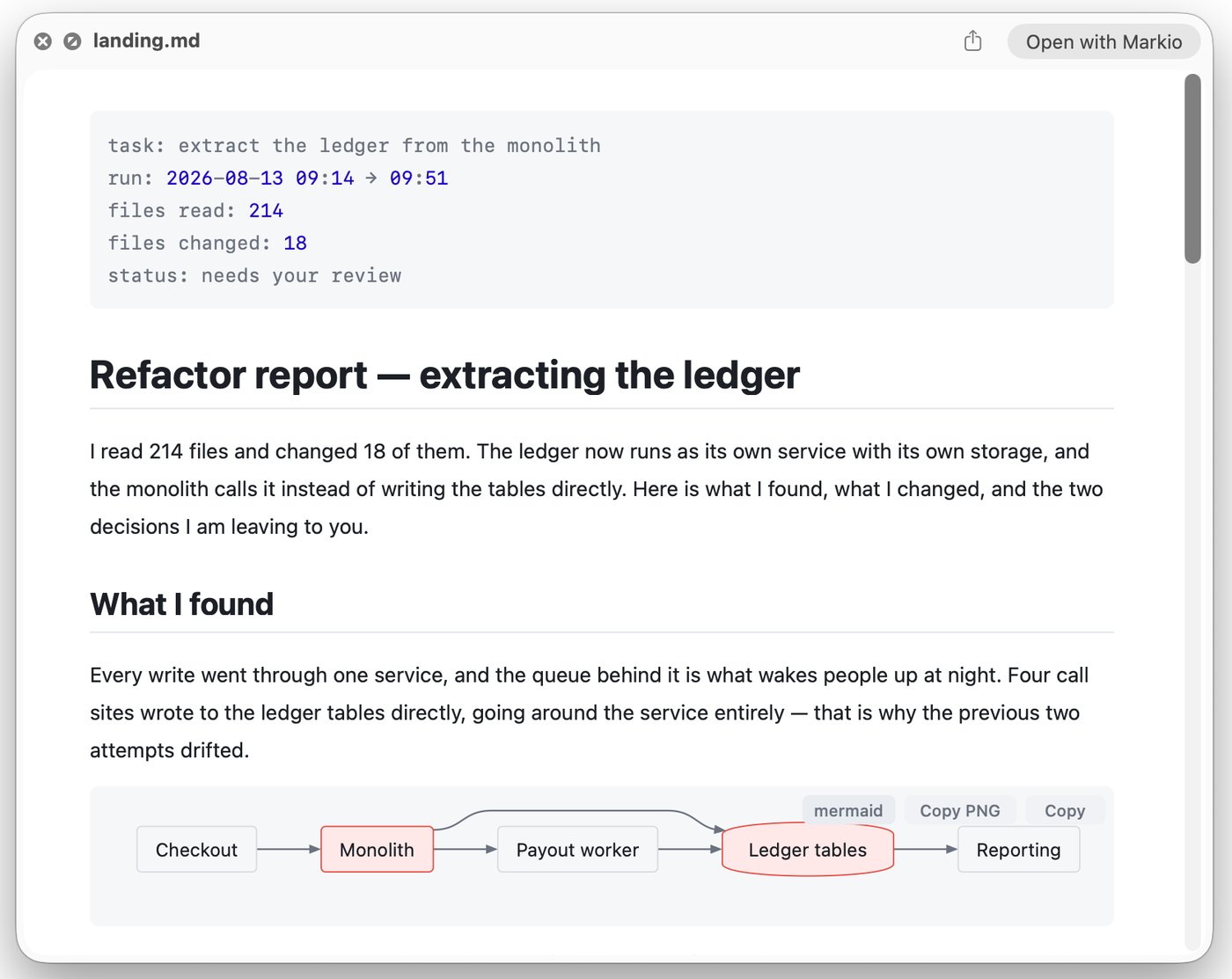
task: extract the ledger from the monolith
run: 2026-08-13 09:14 → 09:51
files read: 214
files changed: 18
status: needs your review
---
# Refactor report — extracting the ledger
I read 214 files and changed 18 of them. The ledger now
runs as its own service with its own storage, and the
monolith calls it instead of writing the tables directly.
## What I found
Every write went through one service, and the queue
behind it is what wakes people up at night. Four call
sites wrote to the ledger tables directly, going around
the service entirely.
```mermaid
flowchart LR
A[Checkout] --> B[Monolith]
B --> C[(Ledger tables)]
B --> D[Payout worker]
```Pressing Space with Markio installed
The same file, the same keystroke. Only the right-hand one is something you can read.
In Finder
Markio installs a Quick Look extension, so the preview you already reach for shows the real document — diagrams and formulas included. No window to open, no app to switch to, nothing to close afterwards.
An actual Quick Look window — the Space bar, and nothing else was opened. The diagram is drawn right there in the preview, Copy PNG included; the "Open with Markio" button is macOS's own.
Diagrams & formulas
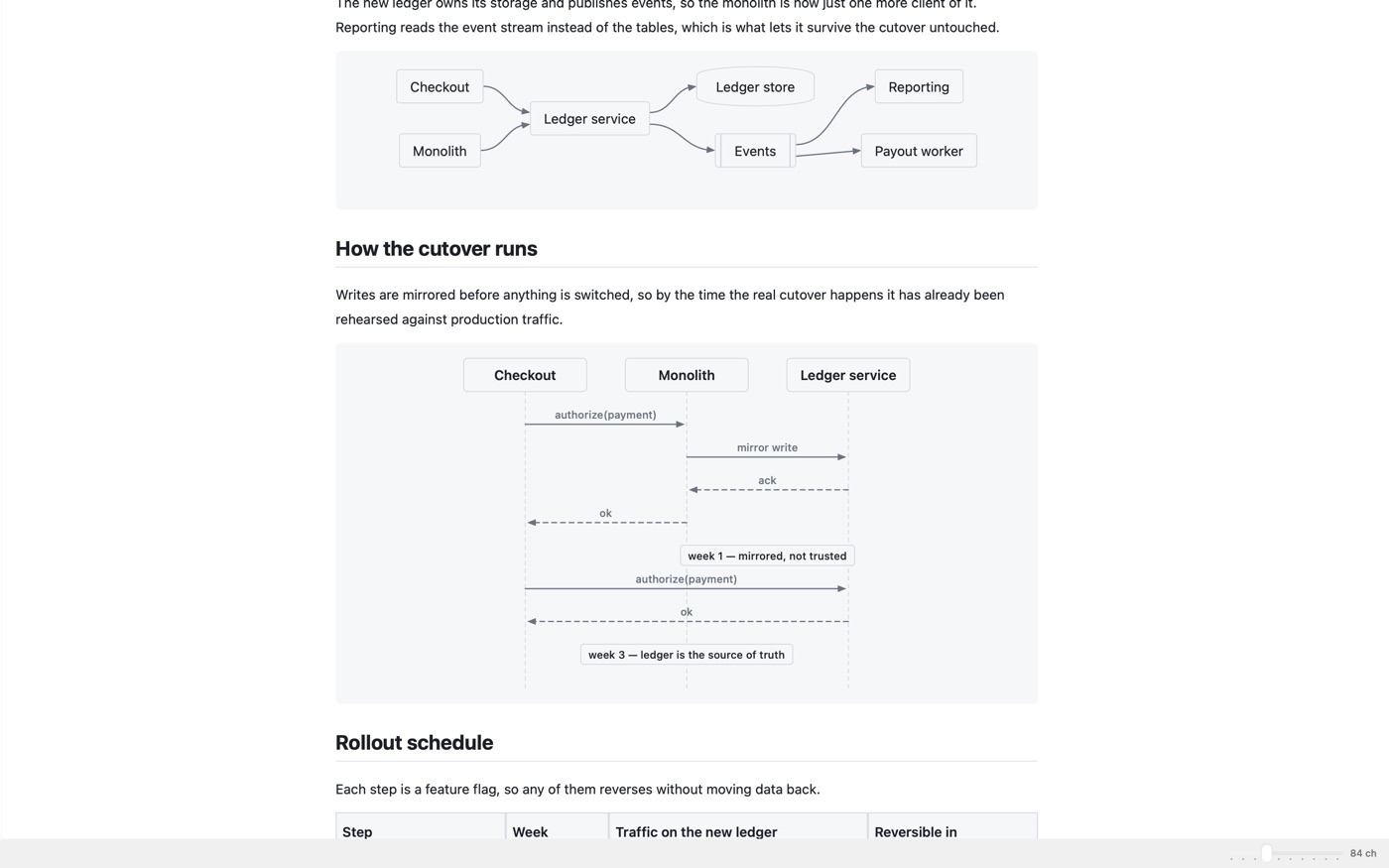
Over twenty Mermaid types — flowcharts, sequence, state, ER, C4, Gantt, mindmaps, Sankey — drawn with real paths and glyphs. Formulas between dollars get real glyphs too: Greek, stacked fractions, matrices, aligned blocks.
Built for tool output
Paste a terminal log and it keeps its colours instead of turning into grey noise. A diff block reads as green and red bands. Leave the file open while your agent rewrites it, and the view reloads exactly where you were reading.
Long documents
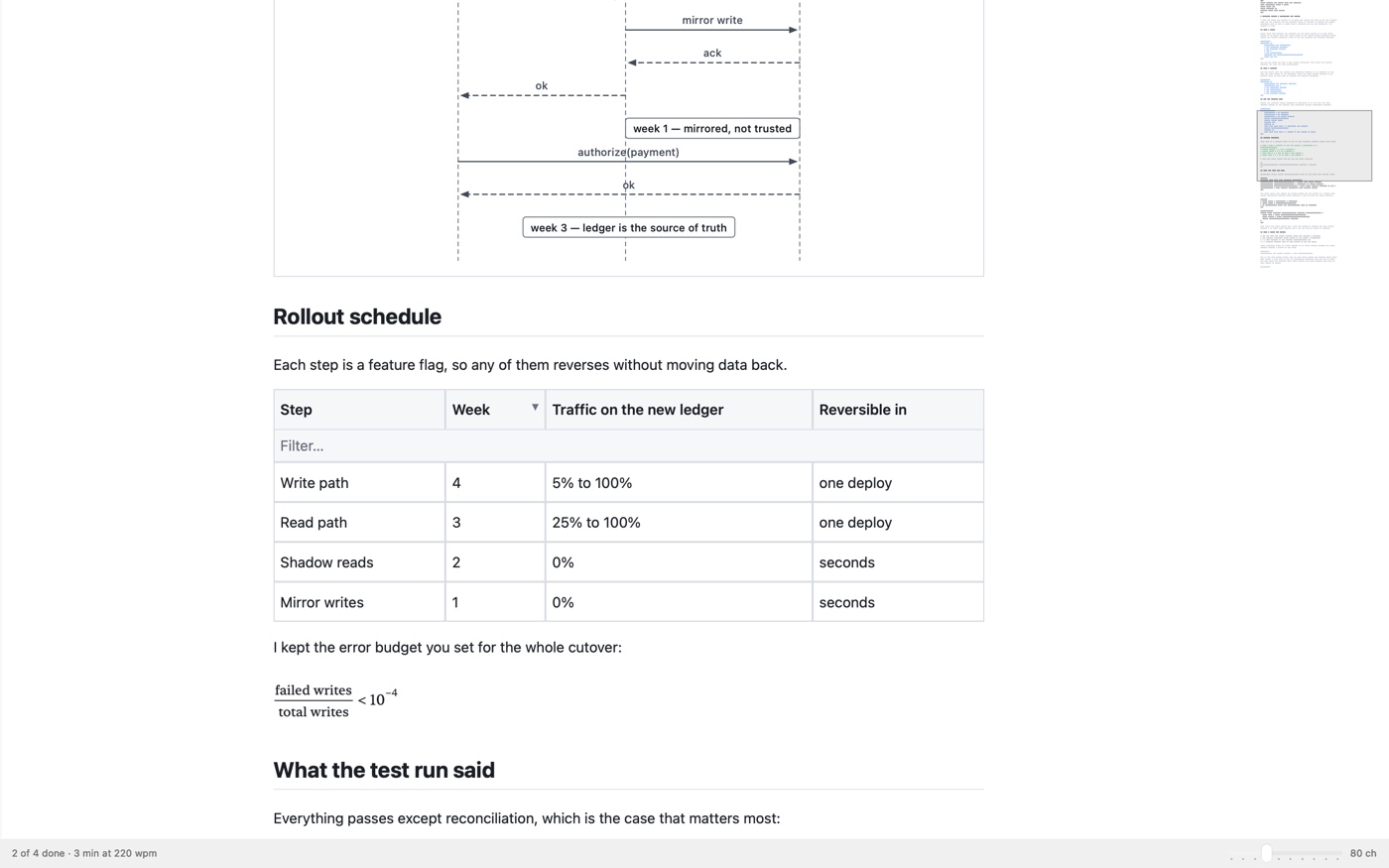
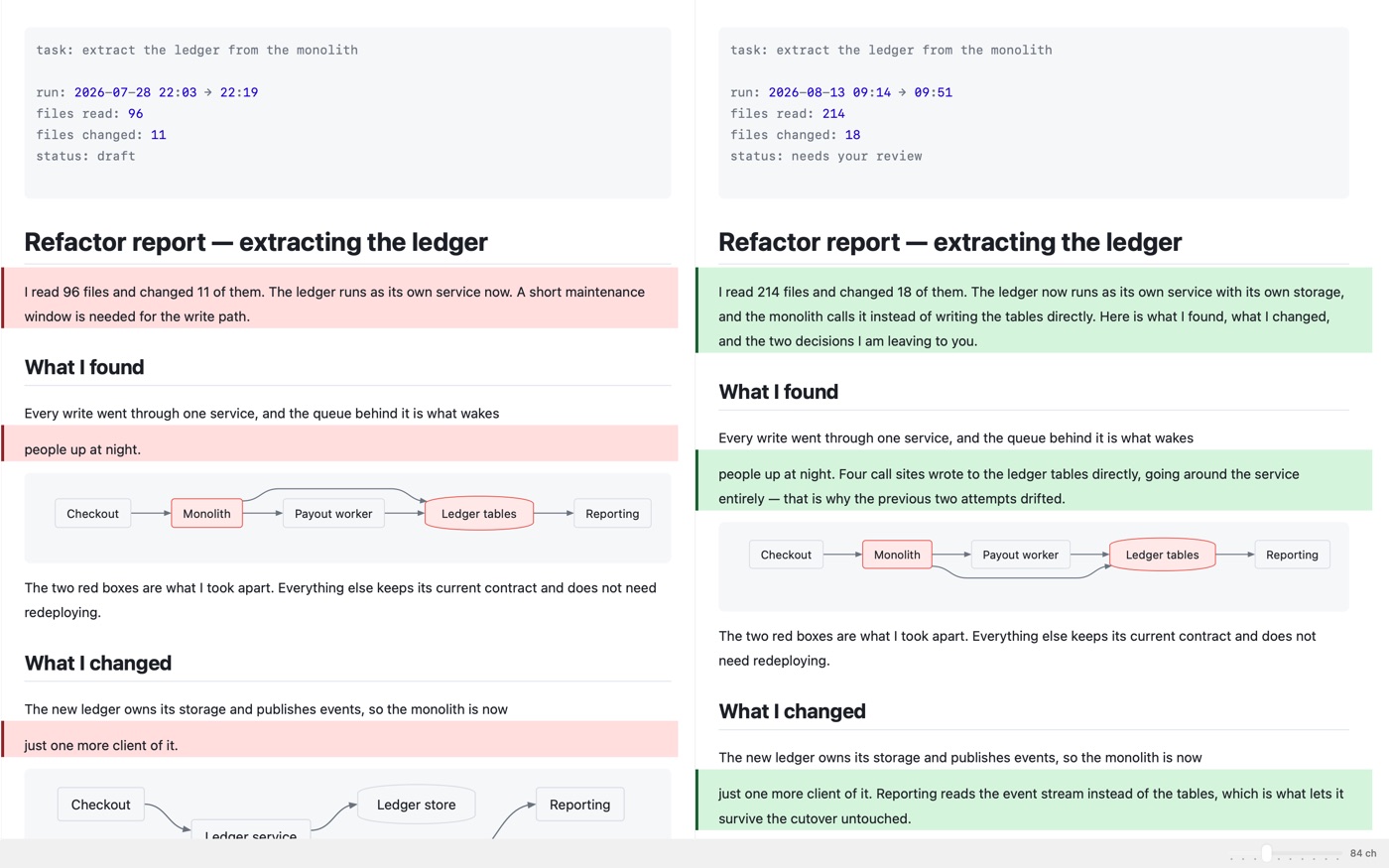
The table of contents is the heading tree — click to jump. Find puts every match on a strip down the right edge. And File ▸ Compare shows the document against an older version of itself: gained on a green band, lost on a red one, or side by side, scrolling together.
<details> sections, YAML front matter as a metadata blockWhy it feels different
The parser reads your file as bytes and CoreText typesets only the lines on screen. Nothing is converted to HTML on the way, so there is no browser to start and no second copy of your document living inside a renderer.
The biggest document the benchmark throws at it — 341 868 blocks — parses in 69 ms, and the first screenful is drawn in well under a millisecond. Length stops being something you think about before double-clicking.
Keep twenty reports open at once and Markio holds about 300 MB — roughly 14 MB a window. No renderer process sits behind a window keeping a second copy of your file, so windows cost what windows cost and nothing more.
No account, no telemetry, no font fetched at runtime, no diagram sent away to be drawn. Nothing about your reading is recorded anywhere, because there is nowhere for it to go.
Release build, Apple silicon, generated documents of realistic shape — and the harness ships with the source, so deno task bench gives you the speed numbers on your own machine. The memory figure is twenty documents open together in windows of the default size, read from Activity Monitor.
Instead of what
Here is honestly where each one leaves you.
Open source
All of Markio is on GitHub under MIT. That is not a licensing footnote at the bottom of the page — it is the reason you can believe the rest of it. Every other reader asks you to take its word. This one hands you the evidence and invites you to go looking.
"Nothing leaves your Mac" is a sentence any app can print on a website. Here you can read the code behind it — and the build gate fails outright if a reference to WebKit or JavaScriptCore ever reaches the sources.
The harness that produced 0.3 ms and 69 ms ships with the source. Clone the repository, run deno task bench, and get the numbers on your own Mac instead of mine.
A Swift toolchain and one command give you a working app for nothing. If Markio does not do what this page promises, you can find that out without spending anything.
MIT means fork it and keep it. An app you can rebuild yourself doesn't vanish when its developer loses interest or an acquirer switches it off.
Then the obvious question
The part that building it yourself does not give you — the app already assembled, trusted by the system and keeping itself up to date.
Who is behind it
Markio is written by Stanislav Korchagin — korchasa on GitHub. It is a new app, and there is no point dressing that up: what stands in for a wall of reviews is that the whole history is public — every commit since July 2026, with 305 tests and the full check suite run on each one. If Markio doesn't do what this page says, open an issue and the answer comes from the person who wrote it. Apple refunds App Store purchases on request, and I would rather fix the reason than keep your two dollars.
MIT licence · 305 tests · checks on every commit · no accounts and no analytics in the app
No subscription, no account, no upsell inside the app. macOS 14 or later.
No. Markio opens documents to read them and never writes a file it opens. Keep editing in whatever you like — the view reloads where you left off.
No. There is no account, no telemetry and no fetched font. Links open in your browser only when you click one.
Yes. There is no Mermaid.js and no diagram service anywhere in the bundle — the app draws each diagram itself with paths and glyphs.
It keeps its source instead of being guessed at. A formula outside the supported subset, or a diagram type not yet drawn, stays visible as the text you wrote.
A 32 MB document parses in 69 ms and shows its first screen in 0.3 ms. Only the lines on screen are ever typeset, so length costs you nothing.
Open an issue on GitHub and you will get an answer from the person who wrote the app. Apple refunds App Store purchases on request, through Report a Problem — and I would rather fix the reason than keep the money.
Convenience, and only that. Building it yourself gives you the same app; $1.99 gives you a signed and notarised copy that opens without a right-click, a Quick Look extension the system registers on install, and updates that arrive with the rest of your apps.
macOS 14 Sonoma or later.